

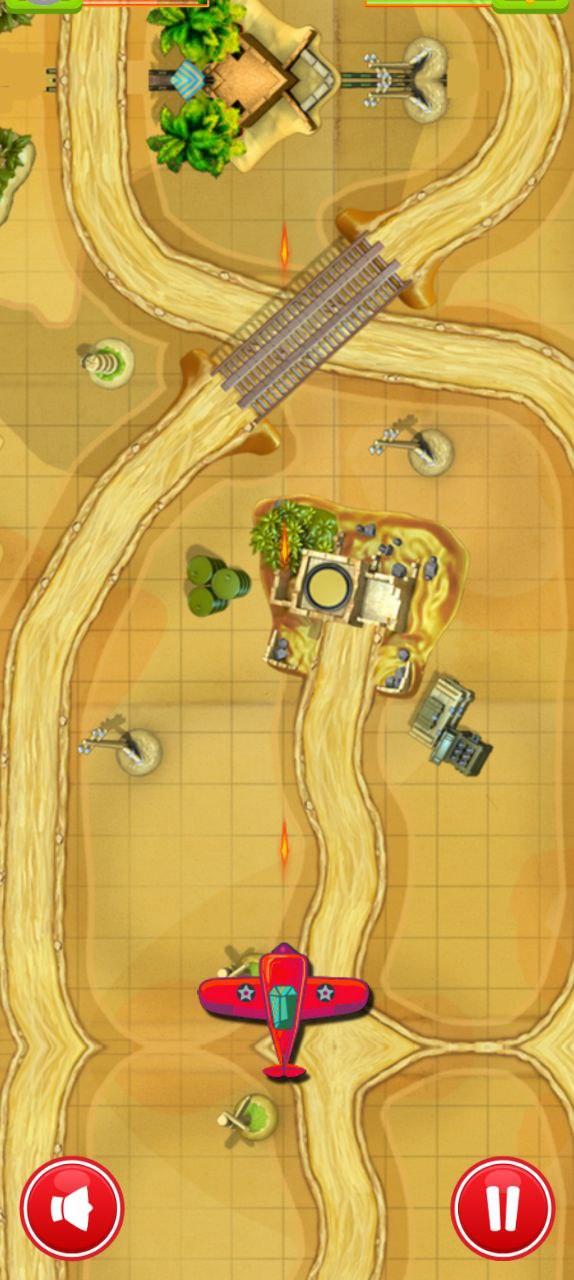
Avia Fly is an digital management game centered on aviation strategy and management. Its developers understand that even a game about running an airline should promote healthy habits. For players in the United Kingdom, Avia Fly offers a set of responsible gaming tools centered on control and awareness. These features are integrated into the game’s design, not just there for compliance. They help make sure that playing remains a fun and sustainable hobby. This article walks through each available tool, outlining what it does and how you can use it to manage your play.
Comprehending Safe Gaming in Online Environments
Mindful gaming includes more than just spending. It involves controlling your time, your emotional state, and your overall digital habits. On a platform like Avia Fly, it means offering tools and information that put the player in charge. UK players enjoy a regulatory environment that emphasizes consumer protection, but the game’s own approach is proactive. Controls are integrated right in the user interface, making them simple to find and use. This commitment helps foster a community where the fun stems from strategy and mechanics, not from compulsion.
Account-based Controls and Personal Limits
You can establish your own limits directly from your Avia Fly account. These are private limits you control. Changing them usually involves a cooling-off period, which prompts you to think changes through.
Play Session Management
You can monitor and regulate how long you play in one sitting. The game can send you alerts when you attain a time limit you’ve set yourself. This promotes awareness and assists prevent those sessions that drag on unintentionally, especially during long-haul flight planning or complex fleet management tasks.
Configuring Time Alerts
Go to the ‘Playtime Management’ area in your account dashboard. There, you can select a preset time interval like 60, 90, or 120 minutes, or specify your own custom duration. Once your session reaches that limit, a clear notification pops up on screen, showing you how long you’ve played. You can then note it and carry on for a brief grace period, or sign out right away. The system also keeps a private log of your daily and weekly playtime, which only you can see.
Spending and In-Game Purchase Limits
For any part of the game that entails buying virtual currency or items, Avia Fly offers spending controls. You can set deposit limits for a day, a week, or a month. If you reach your limit, the system stops any further purchases until the next reset period. This is a practical budgeting aid, allowing you enjoy optional content without the worry of overspending.
Session Alerts and Reality Checks
Alongside firm limits, Avia Fly utilizes gentler, informational tools called reality checks. These are pop-up notifications that show up at intervals you select. A reality check shows basic information like your current session length, the actual time of day, and a prompt to take a break. You need to click to acknowledge it before returning to the game. That moment of pause is meant to interrupt the immersive flow, offering you a conscious chance to determine if you want to keep playing or do something else. For UK players with packed schedules, this tool can be a useful nudge to manage aviation management with other parts of life.
Self-Assessment and Activity Review Tools
Avia Fly helps you reflect on your habits by offering you your own play data. The game offers comprehensive statistics on your play history, displayed in clear graphs and charts within a secure part of your profile. You may see metrics like:
- Total playtime per day and per week.
- How often you log in and the length of your sessions usually last.
- Extended trends in your in-game activity.
Reviewing this information provides you with an objective view of your gaming patterns. That clarity can help you decide if you want to use the limit-setting tools more actively. It converts your personal data into a tool for self-management, fitting with current ideas about digital well-being.

Stepping Back: Time-Out and Voluntary Ban
If you feel you require a more substantial pause, Avia Fly supplies stepped options to pause. A ‘Cool-Off’ or time-out function enables you to voluntarily block your account for a short, set period like 24 hours, 7 days, or 30 days. You cannot log in during this time. For extended needs, a more prolonged self-exclusion is offered. Opting for this will prevent account access for a base period, typically six months or more. Because this is a major step, the process involves several confirmations and warnings. When the exclusion period concludes, your account does not reopen automatically. You have to contact customer support to restore it, which makes your return to the game a deliberate choice.
Family Safety Settings and Household Protection
Avia Fly recognizes that aviation games often draw younger audiences. While the core audience is more mature, the game incorporates options for parents or guardians to oversee play. Account holders are able to create restricted profiles with defined, pre-set limits on playtime and the capacity to disable any spending options. Access to these parental control menus is guarded by a separate PIN, so children are unable to change the settings. This lets adults establish a safe, age-appropriate area for younger family members to discover the game’s challenging world.
Accessing Support and External Resources
Avia Fly provides direct links and information for professional support organizations. For UK players, this means clear signposting to nationally recognized, independent bodies that focus in digital engagement and well-being.
Main UK Support Organizations
In the responsible gaming section of the website and game client, you’ll locate contact particulars for groups like GamCare and the National Centre for Gaming Disorders. They deliver confidential counseling, support, and materials for anyone worried about their own gaming habits or someone else’s. By including these links, Avia Fly reflects its concern for player welfare goes beyond its own platform, bridging users to expert help when it’s needed.
Awareness and Education Within Avia Fly
Avia Fly focuses on educating players. Information is shared through various channels to build awareness. You may encounter tutorial pop-ups that detail how to use the responsible gaming tools, blog posts on the official site about digital well-being, or regular mentions in community updates about available limits and breaks. By weaving this messaging into the fabric of the game, Avia Fly normalizes using control tools. They become a regular part of managing your play, not something you use when there’s a problem. This learning goal is to establish a community culture that values balanced play.
Instructions to Find and Operate These Options
Each responsible gaming feature in Avia Fly is created for convenient access. The primary location is in your account settings, under a clearly marked menu like “Responsible Play” or “Play Safely.” The interface is simple, with useful text directing you through each decision. Adjusting a limit generally follows three basic steps.
- Sign in and go to the ‘Account Options’ menu.
- Select the ‘Responsible Gaming’ tab to see all the available tools.
- Pick the option you wish, such as a deposit cap or session reminder, adjust your desired parameters, and approve your decision with your account password or security PIN.
Should you have trouble finding or utilizing these features, customer support is prepared to assist you https://flytakeair.com/avia-fly/. The design concept is simple: if you decide to utilize a control tool, the procedure should be easy. Support should be no more than a few clicks away.